


WordPress is a fantastic CMS that makes creating websites a sum of 2 plus 2. However, occasionally, you need to perform a quick edit, which WordPress or your current plugins and themes cannot do.
Moreover, you may want to customize an additional field, use an SVG format for your site logo, or alter the text that appears in a WooCommerce alert. A WordPress code snippets plugin is the ideal solution in these situations.
Various plugin developers claim that they are the best code snippet plugins for WordPress. However, it becomes an overwhelming process to identify which one.
In this article, we have discussed 9 of the best code snippet plugins for WordPress to simplify your decision-making process related to your required use case.
What is The Concept of Code Snippets?
A code snippet is a small piece of PHP, JavaScript, or CSS code that adds custom functionality to WordPress without editing core files.
Here is an example of a code snippet:
// Disable WordPress comments globally
function disable_comments() {
remove_post_type_support(‘post’, ‘comments’);
remove_post_type_support(‘page’, ‘comments’);
}
add_action(‘init’, ‘disable_comments’);
A code snippet plugin for WordPress makes it easy to add custom codes. Such plugins prevent errors and could halt manual coding for beginners.
To manage code snippets safely without modifying theme files directly, you can install the Code Snippet plugin for WordPress and test code snippets on staging sites first.
WP code snippets make tracking changes easy and help you manage and implement custom codes for a WordPress website.
A WordPress code snippet plugin works like a bike’s training wheels. You keep them fit on the bike unless you get the comfort of using them in the absence.
The same is true regarding WordPress customization. For beginners, it’s best to use WordPress plugins to improve their sites.
How You Can Use Code Snippets
Here are the common uses of a code snippet plugin:
- API integrations
- Custom form validation
- Performance tweaks
- Security hardening
Why Should I Use Code Snippets Plugin?

For most users, using a code snippet plugin simplifies adding code snippets to WordPress. It eliminates the hassle of determining whether the code has been copied correctly or placed in the correct location. Plus, managing updates becomes effortless since all snippets are organized in one central location.
Moreover, code snippet plugins help prevent accidental site issues by keeping core files untouched. This makes them a safer choice, particularly for those with little coding experience or who prefer not to modify theme files directly.
9 Top Code Snippet Plugins for WordPress
We have compiled a list of the best WordPress plugins for code snippets. These WP code snippet plugins make it to our list based on
- Active installation numbers
- Plugin ratings
- Frequent updates
- Active community and different other factors.
Post Snippets
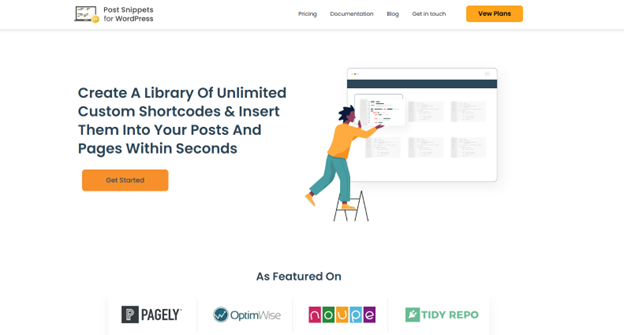
With 30,000+ installations, Post Snippets offers a brilliant choice that lets users make a specific set of HTML, text, and PHP code snippets. Apart from a code editor, the essential plugin for code snippets carries a visual editor that can activate shortcodes, add variables, and change snippets to active via the ‘status box.’ You also get the shortcode called the Post Snippets Gutenberg block, or you can directly enter your created code snippets.
Features of This Code Snippet Plugin
- Easily manage the ‘Manage Snippets’ page to edit, add, or remove code snippets
- Easily access snippets via a button in the WordPress editor or HTML editor’s quick tags
- Each WordPress code snippet can include different custom variables
- Duplicate various code snippets to add them to pages or posts
- Use the Rich Text editor for snippet customization
- Save, download, delete, or edit code snippets on the cloud
- Compatible with Gutenberg block
Pricing
- Basic – $29.99/yr (Basic): 1 Site
- Pro – $79.99/yr: 5 Sites
- Agency – $189.99/yr: 30 Sites
This WordPress code snippet plugin has 4.6 out of 5-star reviews on wordPress.org.
Code Snippets

Code Snippets tops our list with 900,000+ active installations. This WP code plugin is compatible with WordPress v6.5.5 and has an eye-pleasing dashboard.
You can easily manage code customizations with utmost flexibility. For instance, you can easily assign snippets to specific website pages.
Features of This Code Snippet Plugin
- Supports accurate code creation from scratch via AI-driven Snippet Verification.
- Easy to generate, manage, and organize unlimited HTML, PHP, JS, and CSS snippets.
- Enables snippet synchronization across cloud backups, websites, public snippets search, code safety in Private Vaults, and Snippet Bundles usage.
- Regular updates alongside new optimizations.
- Integrate-able with website builders like Gutenberg, Elementor, and more.
The free version offers essential functionality. Its Pro version lets you use additional features such as JavaScript snippets and custom CSS.
Pricing
Pricing plans are as follows:
- Plus: $3.90
- Advanced: $7.90
- Professional: $14.90
- Unlimited: $29.90
4.5 out of 5 stars review on WordPress.
WP Code Box – Ultimate Code Snippet Plugin
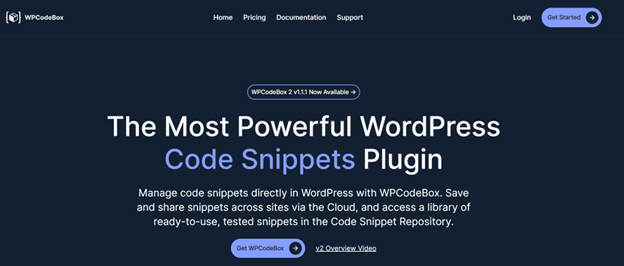
An ultimate user-friendly WP code snippet editor that gives smart code hints, making snippet customization easy to generate. It offers a ready-to-use snippets repository, which is highly helpful.
Moreover, a code generator lets you generate templates using a few inputs. WP Code Box also has a vast cloud-saving option that allows easy access to snippets across various websites.
Further, this essential plugin supports LESS and SCSS and has built-in compilers. It also has an error-identifying mechanism to handle problematic scripts automatically.
Features of This Code Snippet Plugin
- Allows WP code snippets for cloud-based storage for convenient access from various websites.
- Offers code completions and syntax highlighting WordPress customization for a seamless coding experience.
- A CSS live reload function that enables you to view front-end changes instantly.
- Allows to test WP code snippets before putting them on the website through the ‘Run’ button.
- Automatically turns off code snippets with errors to maintain your website functionality.
Pricing
This is a paid code snippet plugin for WordPress, and here is the pricing plan:
- Solo: $69 per year
- Team: $89 per year
- Agency: $119 per year or $179 per year
5 out of 5-star reviews on Product Hunt, and it’s not available on WordPress.
WPCode

WPCode, formerly known as ‘Insert Headers and Footers,’ is an easy-to-use code snippet WordPress plugin that efficiently handles different types of code. It supports CSS and PHP. With 100 + pre-made snippets library, you can swiftly implement standard WordPress functionalities on a website.
One of the standout features of this WordPress plugin for code Snippets is its code generator. The code generator lets you generate custom code snippets with easy form filling, saving time and making the coding process more manageable for beginners.
The essential plugin also allows code snippets to be stored in a private cloud-based space, which helps manage snippets across various projects.
Features of This Code Snippet Plugin
- A library of 100 + ready-made code snippets
- A code generator to help beginners for the creation of custom snippets
- Automatically deactivates snippets that create problems
- Private cloud for accessible customized code snippets within WordPress
- track changes for code revision history related to settings and snippets
- Admins get Built-in access controls for controlling and managing user permissions
Pricing
WPCode offers the following pricing plans:
Basic: $49 per year
Plus: $99 per year
Pro: $199 per year
Bundle: $349 per year
4.9 out of 5-star reviews on WordPress
Advanced Scripts

The best alternative to coding snippets is on the expensive side concerning pricing. With a stylish, sleek design for easier code management, Advance Scripts made it to our list with various options for running code scripts based on particular post types and bolstered import/export functionality.
This code snippet plugin lets you handle 3rd-party CDN assets while you can also create shortcodes effectively. The essential plugin’s PHP error detection enables you to avoid website-related issues.
Features of This Code Snippet Plugin
- Visually striking and responsive user interface.
- Safe mode to detect PHP errors.
- Built-in compiler to facilitate LESS or SCSS.
- Easy loading of URL assets.
- Offers HTML tracking snippets without any extra plugins.
Pricing
- Single Website: $19.99
- Up to Five Websites: $29.99
- Unlimited Websites: $39.99
4.5 out of 5 stars on the website.
WebberZone Snippetz

The redesigned WebberZone Snippetz plugin, formerly called Add to All, offers an easy method to add and control snippets on your WordPress website. The essential plugin for snippets supports CSS, HTML, and JS. Also, you can restrict to particular pages (by ID, post type, etc.) and select the location of the snippet (insert it in your taxonomy, footer, header, content, or feed). If you choose to put the snippets that way, this code snippet plugin also creates a shortcode for each one.
WebberZone Snippetz’s developer offers enhanced superior assistance if you contact them. However, the plugin is entirely free. Remember that this is in addition to their community’s free support, usually for specialized tasks.
Features of This Code Snippet Plugin
- Supports platform verification for Google, Pinterest, and Bing
- Easy creation of custom code snippets via HTML, JavaScript, or CSS
- Snippets can be added to different websites’ parts, such as the content, footer, header, or feed.
- 100% control over showcasing snippets based on categories, post IDs, tags, etc.
- Works seamlessly with Google Analytics, Statcounter, and Tynt
- Various filters and actions for extending the functionality
- 3,000+ installations
- Compatible with WordPress 6.6.1
- Free plugin
4.8 star reviews out of 5 on WordPress.
Snippet Shortcodes

Snippet Shortcodes is the best code snippet plugin for WordPress for anyone who frequently reuses HTML or text snippets across their WordPress site.
This essential code snippet plugin makes managing shortcodes within the WP editor easy. You can also generate custom parameters for adjusting shortcodes on the go.
Moreover, assigning shortcodes to different content types, from HTML or text to images and JavaScript, is easy. This code snippet plugin supports shortcode processing within WordPress menu titles and is compatible with multi-site setups to serve your unique needs.
Features of This Code Snippet Plugin
- Extend shortcodes using custom parameters
- Reuse shortcodes irrespective of locations
- Includes basic and pro helper shortcodes for quick management
- Premium shortcodes to display WordPress version, site language, existing data, and more
- TinyMCE integration with the editor to format content production
- Multisite installation compatibility
- 5K active installations
Pricing
£9.99 for a 1-year license with a 14-day free trial.
4.7 out of 5 stars review by this code snippet plugin.
Shortcoder

Shortcoder is a flexible and user-friendly plugin for generating custom shortcodes for various code snippets, including HTML, JavaScript, and CSS.
The process is simple—assign a name to the shortcode, insert the desired code as its content, and save it. Once created, the shortcode can be effortlessly added to posts or pages, where it will automatically be replaced with the corresponding code snippet.
Shortcoder offers a dedicated block and a toolbar button for those using Gutenberg, ensuring easy shortcode integration. Further, it supports custom parameters, allowing for dynamic modifications as required.
Features of This Code Snippet Plugin
- Supports CSS, HTML, and JavaScript
- Easy-to-insert custom or WordPress parameters in shortcodes
- Shortcodes in variations like code, text, or visual modes
- Option to disable shortcodes globally if not required
- Replace code snippets through shortcodes in pages or posts
- Disable shortcodes on any device
With 100,000+ active installations with WordPress 6.6.1. Shortcoder is one of the reliable WP code snippets.
Pricing
Pricing for this code snippet plugin is as follows:
- PERSONAL: $25 per year – 1 site
- PLUS: $89 per year – 10 sites
- ULTIMATE: $129 per year – unlimited sites
4.9 out of 5 stars reviews
Simple Custom CSS and JS
The Simple Custom CSS and JS plugin is another excellent choice for incorporating unique HTML, CSS, and JavaScript into a WordPress blog without modifying the core WP code.
This snippet plugin gives you a simple interface to render editing swiftly and efficiently. Overall, this WP code snippets plugin is equally best for beginners (as it offers an easy way to add customized styles) and pro users (for complete control over the website’s design).
Features of This Code Snippet Plugin
- Easily add customized codes for all multisite networks.
- Directly manage custom JavaScript, CSS, and HTML from the WordPress dashboard.
- Added custom code remains untouched, even after updating or changing the WordPress theme.
- This WordPress plugin for code snippet plugin enables the import/export of custom codes.
Pricing
Starts at $48.50 for a single site.
4.5 out of 5 rating stars
Final Words
Using a plugin to add code snippets to WordPress is the more practical and safer option—especially if you’re not good with programming. However, most WP code snippets plugins mentioned above are excellent choices. However, Post Snippets is the best code snippet plugin for WordPress if one has to pick one. It offers plenty of features to handle your WordPress snippets.