

Most site owners install a backup plugin and forget it. That’s a mistake. Because many WordPress backup plugins create backups but fail during restore. And a backup you cannot restore is useless.
This is not a theory. It happens daily across the WordPress ecosystem. All WordPress backup plugins must do three things well:
- Create automated backups
- Store backups offsite
- Restore your site even if WordPress crashes
This guide ranks the best backup plugins based on what actually matters. Restore reliability, automation, and real-world performance. Not marketing claims.
How We Ranked the Best WordPress Backup Plugins
WordPress backup plugins exist for one reason. Restore your site after failure. Following are the five factors that actually matter.
1. Restore reliability (Most important factor)
Ask one question. Can the plugin restore your full site after complete failure? Some plugins only restore partial data. Others fail if your dashboard is inaccessible.
Reliable tools like solutions from UpdraftPlus Ltd and BlogVault allow full recovery even if your server crashes. Without any reliable restore, backups are pointless.
2. Backup architecture (Incremental vs full backups)
There are two types of backups:
Full backups
- Copy the entire site every time
- Slow
- High server load
- Can crash large sites
Incremental backups
- Copy only changes
- Faster
- Lower server load
- Better for large and WooCommerce sites
Incremental backups are the superior WordPress backup solution for performance and reliability.
3. Automation and scheduling
Manual backups fail in real life. People forget. A proper WordPress backup plugin must support:
- Automatic daily backups
- Real-time backups for dynamic sites
- Scheduled backup frequency control
This ensures continuous website data protection.
4. Offsite storage capability
Storing backups on the same server is a critical mistake. If your server fails, backups are lost too. Reliable WordPress backup plugins store backups on:
- Google Drive
- Dropbox
- Amazon S3
- External cloud servers
This protects against total server loss and improves WordPress security.
5. Performance impact and scalability
Poor backup plugins slow down your site. This affects:
- Page speed
- SEO rankings
- User experience
The best plugins run backups without affecting site performance. This matters even more for:
- WooCommerce stores
- High-traffic sites
- Business websites
Quick Comparison of Best WordPress Backup Plugins
Not all WordPress Backup Plugins offer the same level of protection. Use this table to quickly identify the right plugin.
| Plugin | Restore Reliability | Incremental Backup | Real-Time Backup | Offsite Storage | Best For | Overall Rank |
|---|---|---|---|---|---|---|
| UpdraftPlus | Excellent | Yes (Premium) | No | Yes | Most websites | #1 |
| BlogVault | Excellent | Yes | Yes | Yes | WooCommerce, agencies | #2 |
| Jetpack Backup | Excellent | Yes | Yes | Yes | Real-time backup needs | #3 |
| WPvivid | Very Good | Yes | No | Yes | Agencies, freelancers | #4 |
| Duplicator | Very Good | No | No | Yes | Migration, cloning | #5 |
| BackWPup | Good | No | No | Yes | Small business sites | #6 |
| Backuply | Good | No | No | Yes | Beginners | #7 |
| Total Upkeep | Good | No | No | Yes | Update protection | #8 |
| All-in-One WP Migration | Good | No | No | Yes | Site migration | #9 |
| WP STAGING | Good | No | No | Yes | Testing, staging | #10 |
| BackUpWordPress | Moderate | No | No | Limited | Small blogs | #11 |
| WP Database Backup | Moderate | No | No | Yes | Database backup only | #12 |
What this comparison actually shows
Three plugins stand out immediately.
UpdraftPlus
Best overall balance. Reliable, scalable, and trusted by millions.
BlogVault
Best for business-critical sites. Especially WooCommerce.
Jetpack Backup
Best real-time backup system. Ideal for sites with constant updates.
These three offer the strongest website data protection and the lowest risk of restore failure.
Detailed Review of Top WordPress Backup Plugins 2026
Now we break down the top plugins individually. Starting with the most reliable option overall.
1. UpdraftPlus. Best Overall WordPress Backup Solution

UpdraftPlus is the most widely used backup plugin for WordPress. And there’s a reason. It works reliably across small blogs, business sites, and large installations.
It provides the best balance between automation, restore reliability, and ease of use. Developed by UpdraftPlus Ltd, it powers millions of active WordPress sites.
Why UpdraftPlus ranks #1
It solves the core backup problem correctly.
- Automated scheduled backups
- Reliable restore system
- Offsite cloud storage support
- Minimal performance impact
That makes it a dependable long-term WordPress backup solution.
Key features
- Automatic daily, weekly, or monthly backups
- Backup to Google Drive, Dropbox, Amazon S3, and more
- One-click restore from the dashboard
- Incremental backups available in the premium version
- Full website and database backup support
These features ensure complete website data protection without manual effort.
Pros
- Extremely reliable restore process
- Easy setup and configuration
- Works on shared hosting and enterprise hosting
- Free version is powerful enough for most sites
- Large user base and long track record
Cons
- Incremental backups require paid version
- Interface feels slightly outdated
- No real-time backup in free version
Best for
- Business websites
- Bloggers
- WooCommerce stores
- Agencies managing multiple sites
If you want the safest default choice, UpdraftPlus is it. It delivers consistent backups, reliable restores, and strong WordPress security protection.
2. BlogVault. Best Backup Plugin for WooCommerce and Agencies
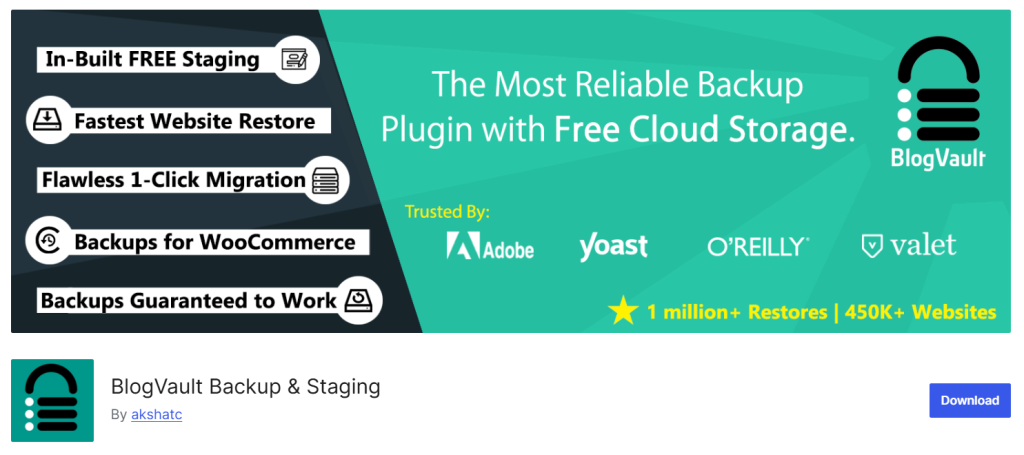
BlogVault is built for sites where failure is not acceptable. Unlike most plugins, BlogVault uses its own external backup infrastructure. This means backups and restores work even if your entire WordPress site is down.
Developed by BlogVault, it is widely used by agencies, WooCommerce stores, and high-traffic business websites. This architecture makes it one of the most reliable WordPress backup solution options available today.
Why BlogVault ranks #2
BlogVault solves two major problems most backup plugins cannot handle:
Incremental backups
It only backs up changes. This reduces server load and prevents performance issues.
External restore capability
You can restore your site even if your hosting server crashes completely.
Most WordPress Backup Plugins cannot do this reliably. This makes BlogVault a stronger option for serious website data protection.
Key features
- Incremental backups with minimal server impact
- External backup storage on BlogVault servers
- One-click restore even if WordPress is inaccessible
- Real-time backups for WooCommerce sites
- Built-in staging environment
- Automated daily backups
These features provide deeper WordPress security and recovery reliability.
Pros
- Extremely reliable restore system
- Incremental backups are included by default
- No load on your hosting server
- External restore works even if the site crashes
- Excellent WooCommerce compatibility
Cons
- No free version
- Higher cost than basic plugins
- Overkill for small personal blogs
Best for
- WooCommerce stores
- Agency-managed sites
- Business-critical websites
- High-traffic websites
If your website generates revenue, BlogVault is one of the safest backup systems you can use. It is designed for failure recovery, not just backup creation.
3. Jetpack Backup. Best Real-Time Backup Plugin

Jetpack Backup focuses on real-time protection. Every change made to your site gets backed up instantly. This eliminates the risk of losing recent orders, content, or customer data.
It is developed by Automattic (the company behind WordPress.com), which provides deep integration with the WordPress ecosystem.
Why Jetpack Backup ranks #3
Jetpack Backup specializes in real-time backup automation. Most plugins run backups on schedules. Jetpack runs backups continuously.
This ensures maximum website data protection, especially for dynamic sites. It also stores backups externally, improving recovery reliability.
Key features
- Real-time automatic backups
- Offsite cloud backup storage
- One-click full site restore
- Activity log showing all site changes
- Backup access even if site crashes
This makes it a strong website backup WordPress plugin users can trust.
Pros
- Real-time backup protection
- Reliable restore system
- Fully automated backup process
- No manual configuration needed
- Strong infrastructure reliability
Cons
- No free real-time backup plan
- More expensive than basic backup plugins
- Less flexible than developer-focused tools
Best for
- WooCommerce stores
- Membership websites
- Frequently updated websites
- Business and ecommerce websites
If your site updates constantly, real-time backup is the safest option. Jetpack Backup ensures no data is lost between backup intervals.
4. WPvivid. Best Modern WordPress Backup Plugin Alternative

WPvivid is one of the fastest-growing WordPress backup plugins. It combines backup, restore, and migration in a single tool and eliminates the need to install multiple plugins for backups and site transfers.
With over 900,000 active installs on WordPress.org, WPvivid has proven reliability across a wide range of websites. It is a strong modern WordPress backup solution for both beginners and agencies.
Why WPvivid ranks #4
WPvivid focuses on automation and simplicity without sacrificing reliability.
It allows you to:
- Create full site backups
- Migrate entire WordPress sites
- Restore sites in one click
This makes it a complete website backup WordPress plugin users can rely on for both protection and migration.
Key features
- Automated scheduled backups
- Full site backup and migration support
- One-click restore system
- Cloud storage integration (Google Drive, Dropbox, S3)
- Incremental backups are available in the paid version
These features help ensure strong website data protection without slowing down your server.
Pros
- Backup and migration in one tool
- Easy setup process
- Reliable restore system
- Clean and modern interface
- Generous free version
Cons
- Incremental backups require the premium version
- Less enterprise-focused than BlogVault
- Restore reliability slightly lower than top-tier tools
Best for
- Freelancers
- Agencies
- Small to medium business websites
- Site owners needing backup and migration together
If you want modern features without complexity, WPvivid is a strong choice. It provides reliable backups while improving overall WordPress security.
5. Duplicator. Best Backup Plugin for Migration and Full Site Cloning

Duplicator is one of the most trusted plugins for cloning and migrating WordPress sites. With over 1 million active installs on WordPress.org, it is widely used by developers and agencies.
Unlike traditional backup plugins, Duplicator focuses on creating complete site packages that can be restored anywhere. This makes it both a migration tool and a reliable WordPress backup solution.
Why Duplicator ranks #5
Duplicator excels at full-site cloning. It creates a complete package containing:
- Website files
- Database
- Themes
- Plugins
- Media
This ensures complete website data protection and easy recovery. It is especially useful when moving sites between servers or hosts.
Key features
- Full site backup and cloning
- Easy site migration capability
- Scheduled backups in Pro version
- Cloud storage support
- Restore without the WordPress dashboard
These features make it a powerful website backup WordPress plugin professionals trust
Pros
- Extremely reliable migration system
- Full site clone capability
- Trusted by developers
- Works well for large websites
- Reliable restore process
Cons
- Scheduled backups require a paid version
- Interface not beginner-friendly
- No real-time backup capability
Best for
- Developers
- Agencies
- Website migrations
- Full site cloning needs
Duplicator is ideal when migration flexibility and full recovery control are required. It strengthens both recovery capability and overall WordPress security readiness.
6. BackWPup. Best Full WordPress Backup Plugin

BackWPup is designed to create complete WordPress backups with minimal configuration. It is used by over 600,000 active websites on WordPress.org.
The plugin allows you to back up your entire WordPress installation, including files and database. This makes it a reliable entry-level WordPress backup solution.
Why BackWPup ranks #6
BackWPup focuses on complete site backups with automated scheduling. It allows you to store backups externally, improving website data protection, and useful for small business websites.
Key features
- Full website backup automation
- Database and file backup support
- Cloud storage support (Dropbox, S3, FTP)
- Scheduled backup automation
- Backup archive download
These features help improve site recovery capability and overall WordPress security.
Pros
- Reliable full-site backup capability
- Easy to configure
- Free version available
- Cloud storage supported
- Suitable for most small sites
Cons
- No incremental backups
- Restore process less smooth than top plugins
- Limited advanced automation
Best for
- Small business websites
- Bloggers
- Portfolio websites
- Beginners
BackWPup is a good option if you need simple, reliable backups without advanced enterprise features. It provides dependable baseline website data protection for most standard WordPress sites.
7. Backuply. Best Lightweight Backup Plugin
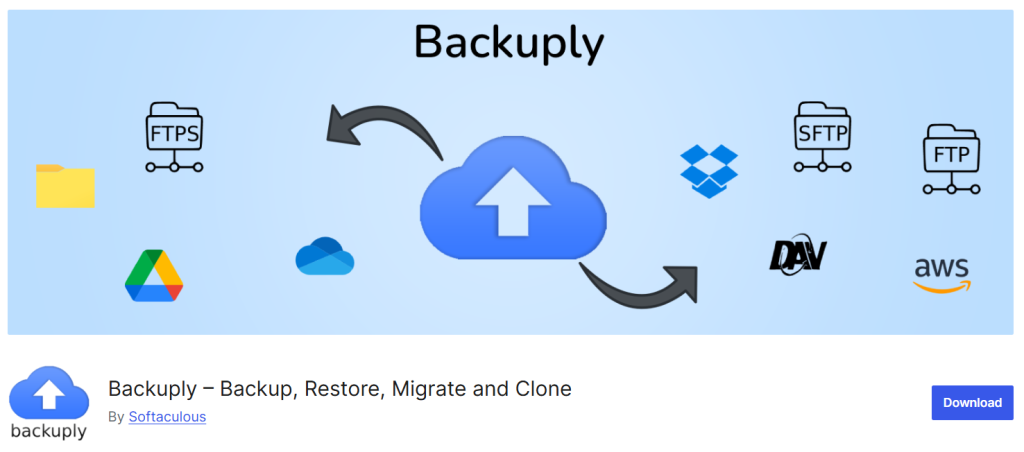
Backuply is designed for simplicity. It focuses on fast backups, easy restore, and low server impact. Developed by Softaculous Ltd, Backuply integrates well with most hosting environments and works reliably on shared hosting.
It is a practical WordPress backup solution for users who want reliable protection without a complex setup.
Why Backuply ranks #7
Backuply focuses on core backup functions without unnecessary complexity.
It allows you to:
- Automate backups
- Store backups offsite
- Restore your website quickly
This makes it a dependable website backup plugin WordPress users can deploy quickly. It is especially useful for small business sites and personal websites.
Key features
- Automated scheduled backups
- One-click restore capability
- Cloud storage support (Google Drive, Dropbox, FTP)
- Full website and database backup
- Backup download and external storage support
These features provide reliable website data protection without affecting site performance.
Pros
- Lightweight and fast
- Easy setup process
- Works well on shared hosting
- Reliable backup and restore
- Free version available
Cons
- No real-time backup capability
- Fewer advanced features than enterprise plugins
- Limited scalability for very large sites
Best for
- Bloggers
- Small business websites
- Portfolio websites
- Beginners
Backuply works best when simplicity and reliability are the priority. It improves baseline WordPress security by ensuring recoverable backups exist.
8. Total Upkeep. Best Automatic Rollback Plugin
Total Upkeep focuses on preventing site crashes during updates. Many WordPress sites break during plugin or theme updates. Total Upkeep automatically restores your site if an update fails.
Developed by BoldGrid, it provides proactive backup protection. This makes it a strong preventive WordPress backup solution.
Why Total Upkeep ranks #8
Its main strength is automatic rollback. Before updates, it creates a backup. If the update fails, it restores your site automatically.
This protects against one of the most common causes of WordPress downtime. It improves both uptime and website data protection.
Key features
- Automatic backup before updates
- Automatic restore after failed update
- Scheduled backups
- Remote backup storage support
- Full website backup capability
These features help prevent downtime and improve overall WordPress security.
Pros
- Automatic crash recovery
- Prevents update-related failures
- Reliable backup automation
- Easy configuration
Cons
- No real-time backup capability
- Smaller ecosystem than top plugins
- Limited enterprise features
Best for
- Small business websites
- Websites frequently updating plugins
- Website owners without technical expertise
Total Upkeep acts as a safety system. It prevents update failures from breaking your website.
9. All-in-One WP Migration. Best Backup Plugin for Migration-First Users

All-in-One WP Migration is one of the most widely used migration plugins. It also functions as a reliable backup and restore system.
With millions of active installs on WordPress.org, it is trusted across the WordPress ecosystem. It provides full-site export and restore capability.
This makes it a powerful WordPress backup plugin professionals use during migrations.
Why All-in-One WP Migration ranks #9
Its main strength is full-site portability. It creates a complete backup file that can be restored anywhere. This ensures complete website data protection, especially during hosting migrations.
Key features
- Full site export and backup
- One-click restore capability
- Migration between hosts and servers
- Backup file download and storage
- Cloud storage extensions available
These features improve site recovery flexibility and overall WordPress security.
Pros
- Extremely reliable restore capability
- Simple migration process
- Works across different hosting providers
- Trusted by developers and agencies
Cons
- Limited automation in the free version
- Large site support requires paid extensions
- Not designed for continuous backup automation
Best for
- Website migration
- Developers and agencies
- Hosting transfers
- Full site backup export
All-in-One WP Migration is ideal when full portability and restore reliability matter most. It ensures your website can be restored regardless of the hosting environment.
10. WP STAGING. Best Backup Plugin for Staging and Testing
WP STAGING is built for safe testing and backup. It provides a specialized WordPress backup solution focused on safe deployment and recovery. This clone acts as a backup and testing environment. You can test updates, plugins, or design changes without affecting your live site.
Available on WordPress.org, WP STAGING is widely used by developers and site owners who want controlled backup and restore workflows.
Why WP STAGING ranks #10
WP STAGING combines backup with staging capability. Instead of backing up only files, it creates a full duplicate environment. This allows safe restore and rollback if something breaks.
This approach improves both website data protection and site stability. It is especially useful when testing updates.
Key features
- Full website cloning and backup
- One-click restore capability
- Staging environment creation
- Backup automation in Pro version
- Cloud backup support available
These features help reduce risk and improve overall WordPress security.
Pros
- Safe testing before deployment
- Reliable restore capability
- Full site clone creation
- Useful for developers and agencies
Cons
- Full automation requires a paid version
- Not focused on real-time backups
- More useful for staging than continuous backup
Best for
- Developers
- Agencies
- Websites undergoing frequent updates
- Testing environments
WP STAGING is ideal when you need backup combined with safe testing. It ensures changes do not break your live website.
11. BackUpWordPress. Best Lightweight Backup Plugin for Small Sites

BackUpWordPress focuses on simplicity and low resource usage. It provides automated backups without affecting server performance. This makes it suitable for small websites and shared hosting environments.
Available on WordPress.org, it offers a lightweight WordPress backup plugin that beginners can use easily.
Why BackUpWordPress ranks #11
Its main strength is simplicity, and it runs backups automatically without requiring complex configuration.
This ensures consistent website data protection with minimal effort. It works well for low-traffic sites.
Key features
- Automated scheduled backups
- Full website and database backup
- Email backup notifications
- Lightweight and fast operation
These features help improve baseline WordPress security without slowing your site.
Pros
- Very lightweight
- Easy setup
- Works well on shared hosting
- Free to use
Cons
- Limited cloud storage integration
- No incremental backups
- Not ideal for large websites
Best for
- Personal blogs
- Portfolio websites
- Small business sites
- Low-traffic websites
BackUpWordPress is suitable when you need basic protection without advanced features. It ensures recoverable backups exist.
12. WP Database Backup. Best Database-Only Backup Plugin
WP Database Backup focuses on protecting your database. This includes posts, pages, settings, and user data. It does not back up media files or themes. Instead, it protects the most critical part of your site.
Available via WordPress.org, it offers a specialized WordPress backup solution for database protection.
Why WP Database Backup ranks #12
The database contains your core website data. This backup plugin protects:
- Posts and pages
- User accounts
- Settings
- WooCommerce orders
This ensures essential website data protection even if files are lost.
Key features
- Automated database backups
- One-click restore capability
- Scheduled backup automation
- Backup download and storage
These features strengthen data safety and improve WordPress security readiness.
Pros
- Lightweight and fast
- Focused database protection
- Easy to configure
- Free version available
Cons
- Does not back up full website
- No file backup support
- Limited recovery capability
Best for
- Database protection
- Content-heavy websites
- Backup redundancy strategy
WP Database Backup works best as a secondary backup layer. It ensures your most critical data remains recoverable.
What Makes a WordPress Backup Plugin Reliable
Most backup failures happen during restore. Not during backup creation.
Many plugins create backup files. But they fail when restoring full websites after server crashes, malware infections, or database corruption.
A reliable WordPress backup solution must be built with restore reliability as the first priority. These are the core technical systems that determine reliability.
1. External storage architecture (Critical for real recovery)
The biggest mistake is storing backups on the same server as your website. If your server fails, your backups fail with it.
Reliable WordPress Backup Plugins store backups externally. This is called off-site backup storage. External storage locations include:
- Google Drive
- Amazon S3
- Dropbox
- Dedicated backup servers
Plugins like BlogVault and Jetpack store backups on independent infrastructure. This ensures your backup remains safe even if your hosting server crashes.
This architecture is essential for real website data protection. Without offsite storage, your backup is not truly secure.
2. Restore independence from WordPress dashboard
Many plugins require access to the WordPress dashboard to restore backups. This is a major weakness.
Because when sites crash, the dashboard often becomes inaccessible. Reliable plugins allow restore without WordPress access.
This works through:
- External restore dashboards
- Direct server restore tools
- Standalone restore installers
Plugins like BlogVault and Duplicator allow full recovery even when WordPress is completely broken.
This improves recovery reliability and strengthens overall WordPress security readiness.
3. Backup verification systems (Ensures backups actually work)
Creating backups is not enough. Backups must be verified. Backup verification checks whether backup files are complete and usable.
Without verification, backups may be corrupted or incomplete. Reliable plugins use verification systems such as:
- Backup integrity testing
- File checksum validation
- Restore simulation testing
These systems ensure your website backup WordPress plugin can actually restore your site when needed.
Backup verification is often ignored. But it is essential for real protection.
Recommended Backup Strategy (Expert Recommendation)
Using a WordPress backup plugin alone is not enough. Backup frequency and storage strategy determine real safety. This is the proven backup system used by agencies and professional WordPress operators.
1. Daily incremental backups
Incremental backups save only changes made since the last backup. This provides:
- Faster backup speed
- Lower server load
- Continuous protection
This ensures recent content, orders, and changes remain protected, and is critical for WooCommerce sites and business websites. Also, it provides continuous website data protection.
2. Weekly full backups
Full backups create a complete copy of your website. This acts as a recovery baseline. If incremental backups fail, full backups ensure complete restore capability.
This strengthens your overall WordPress backup solution reliability. A weekly full backup is sufficient for most websites.
3. Offsite backup storage (Mandatory)
Never store backups only on your hosting server. Always use external storage such as:
- Google Drive
- Amazon S3
- Dropbox
Offsite backups protect against:
- Server failure
- Hosting account suspension
- Malware attacks
4. Backup verification and testing
Backups must be tested regularly. You should verify:
- Backup files exist
- Backup files are complete
- Restore process works
Many website owners discover backup failures only after a disaster. At that point, recovery is impossible. Backup verification prevents this.
Following this strategy ensures maximum protection against data loss, server failure, and cyber threats.
Last Word on Best WordPress Backup Plugins
Your WordPress backup plugins decide whether you recover fast or rebuild from scratch. Not all tools are built for real recovery. Some only create backup files without guaranteeing a full restore. Choose a WordPress backup solution that runs automatically, stores backups offsite, and allows restoration even if your site crashes completely. This ensures continuous website data protection and reduces downtime risk.
If your website generates revenue, treat backups as core infrastructure. Not an optional plugin.