

A black friday landing page decides if traffic becomes customers or just noise. On the wrong BFCM landing page, you lose clicks, carts, and ad spend. On the right landing page for Black Friday, you get a higher conversion rate, a bigger average order value, and fewer abandoned carts.
We’ll focus on things that matter to your bottom line: clear offer, clean layout, fast load time, and a checkout flow that doesn’t confuse people. And we’ll keep WordPress specifics in mind, like page builders, lightweight themes, caching, and plugins that help rather than hurt, because this is about WordPress pages that sell. Not theory. Real, practical fixes you can apply fast.
Read this if you want a black Friday landing page that actually converts during BFCM season.
Define Your Goal and Offer Clearly
Before you build a Black Friday landing page, you need to know exactly what you want it to achieve. A landing page is not a homepage. It has one job: push people toward a specific action.
Ask yourself:
- Do you want to sell one best-seller at a steep discount?
- Are you trying to clear old stock fast?
- Or do you want to collect emails before BFCM and then send timed offers?
Pick one. If you mix goals, the BFCM landing page will confuse visitors, and conversion drops.
How to make the landing page offer clear:
- Show the discount upfront. Example: “50% off today only” in your headline. Don’t hide it in small print.
- Use original vs. discounted price. Strike through the old price. Show the new one in bold.
- Bundle products. Example: 3 plugins for the price of 1, or a theme + support + add-ons deal.
WordPress-specific tip:
If you’re using Elementor, build a hero block that immediately shows:
- Headline with discount.
- Short line explaining what the product is.
- CTA button like “Get Deal Now.”
This keeps your landing page Black Friday-focused. No menus, no distractions, just the offer and the action.
The best Black Friday landing pages all do this: they give one clear reason to buy and make the CTA obvious within 3 seconds.
Choose a Mobile-First WordPress Theme or Page Builder
Most traffic during BFCM comes from phones. If your Black Friday landing page doesn’t load fast and look good on small screens, you lose half your sales before they even see your offer.
Why mobile-first matters
- Over 70% of Black Friday shopping happens on mobile.
- Google ranks landing pages Black Friday higher when they’re responsive and fast.
- A single second delay can cut conversions by 7%.
What to use in WordPress
- Elementor: Flexible, lots of widgets, responsive controls for hiding/showing blocks on mobile.
- GeneratePress or Astra: Lightweight themes that keep your BFCM landing page under 2 seconds load time.
Practical setup steps for WordPress
- Install a lightweight WordPress theme (Astra/GeneratePress).
- Use a page builder (SeedProd/Elementor) to design a custom layout.
- Test on real devices — not just desktop view shrunk down.
- Keep buttons thumb-friendly: at least 44px high, with space around them.
- Hide extra menus, sidebars, and popups on mobile. One offer, one CTA.
The best Black Friday landing pages keep it simple: bold headline, clear discount, fast checkout, all working perfectly on a phone screen.
Use High-Impact Visuals & Branding Aligned with Black Friday

A Black Friday landing page should grab attention the moment it loads. Shoppers scroll fast, so visuals and colors need to do the heavy lifting. The wrong design looks generic. The right one signals urgency and trust.
Design choices that work
- Black + bold accent colors: Black Friday branding often uses black backgrounds with red, yellow, or neon green CTAs. It creates contrast and urgency.
- Minimal clutter: Too many graphics slow down your BFCM landing page. Use one hero image, a product mockup, or a lifestyle shot instead of a crowded collage.
- Consistent branding: Even though it’s Black Friday, keep your logo, fonts, and tone consistent. Visitors should know it’s your store, not a random coupon site.
Practical WordPress tips
- Use SeedProd’s Black Friday landing page templates that already come with bold designs and countdown timer sections.
- Compress images with plugins like Smush or ShortPixel so your visuals don’t slow page speed.
- If selling digital products, use mockups: laptops, screens, or packaging graphics created with free tools like Smartmockups.
Placement rules
- Hero section: Product image or seasonal banner + discount message.
- CTA button in a bold accent color (red/yellow works well against black).
- Supporting visuals lower down: trust badges, social proof screenshots, or bundle graphics.
The best Black Friday landing pages don’t look attractive just for the sake of it. They use BFCM visuals to highlight Cyber Monday deals and guide the shopper’s eyes straight to the CTA.
Make Your Discounts Transparent & Headlines Bold

The first thing people look for on a Black Friday landing page is the discount. If your offer isn’t obvious, they bounce. Don’t bury the deal in text or small print—put it front and center.
How to show discounts clearly
- Use strike-through pricing. Show the old price and the new price side by side. Example: $199 → $99 Today Only.
- Highlight the percentage saved. Numbers like “50% Off” or “Save $100” catch the eye faster than vague phrases like “Big Sale.”
- Time-limit the offer. Add “Ends at Midnight” or “24 Hours Only” near your CTA button. This makes your landing page Black Friday-specific and urgent.
Headline rules that convert
- Keep it short: under 10 words.
- Make the discount the star. Example: “70% Off All Plugins – Today Only.”
- Add urgency or exclusivity: “First 100 Orders Only.”
- Avoid fluff like “Don’t Miss Out on Amazing Deals.” It wastes space and doesn’t tell people what they get.
WordPress setup tips
- In Elementor, use the “Headline” and “Price List” widgets to show side-by-side pricing.
- Use bold fonts for discounts. Keep the rest of the text smaller so nothing competes with the offer.
The best Black Friday landing pages use bold, clear discounts as the headline itself. The CTA is just the next logical step: “Claim 50% Off Now.”
Use Urgency & Scarcity to Drive Action
A Black Friday landing page without urgency is just another product page. People know deals are short-lived, so your job is to remind them that waiting means losing out. Urgency makes them act now, not later.
Ways to build urgency
- Countdown timers: Show how long the offer lasts. Example: “Deal ends in 03:15:22.” SeedProd and Elementor both have built-in countdown widgets perfect for a BFCM landing page.
- Limited stock alerts: “Only 7 left in stock.” You can add this with plugins like WooCommerce Stock Manager or notification tools like Wisernotify.
- Early bird bonuses: Give something extra for the first 50 buyers (free add-on, free shipping, or bonus digital download).
Why scarcity works
- It reduces decision time. If a visitor thinks, “I’ll come back later,” you’ve likely lost them.
- It creates social proof. Seeing “X people purchased in the last hour” tells shoppers others are grabbing the deal.
- It ties directly to the best Black Friday landing pages: clear offer + real urgency = faster conversions.
Practical WordPress tips
- Add a floating countdown bar at the top of your landing page so the deadline is always visible.
- Use WooCommerce dynamic pricing plugins to set automatic deal expiry (prices return to normal after the timer ends).
- Test the timer on mobile to make sure it doesn’t cover your CTA button.
A high-performing landing page Black Friday isn’t just about showing discounts. It’s about making people feel they’ll lose the chance if they don’t act immediately.
Add Social Proof & Trust Signals
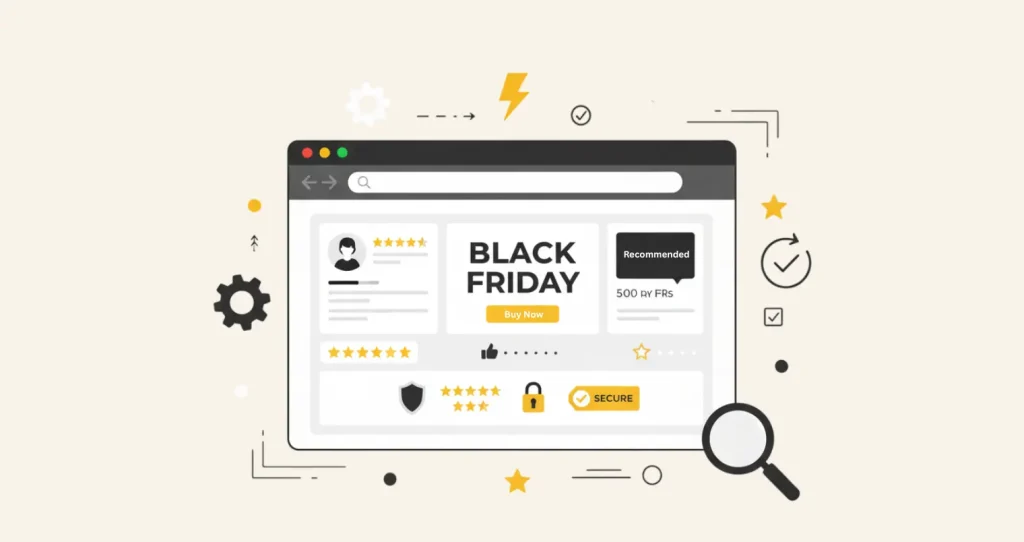
A Black Friday landing page isn’t only about flashy discounts. Shoppers also need proof that your deal is worth their money. Social proof and trust signals lower hesitation and make people confident to click “Buy Now.”
Types of social proof that work
- Customer reviews and star ratings: Display real feedback under the product or near the CTA. Example: ⭐⭐⭐⭐⭐ “Saved me $200 last Black Friday.”
- Testimonials with photos: A short quote plus a face feels more authentic than plain text.
- User numbers: “Trusted by 10,000+ WordPress site owners” shows scale.
Trust signals to include
- Secure payment badges: PayPal, Visa, MasterCard, Stripe. These logos are familiar and instantly reassure buyers.
- Money-back guarantee: A simple badge saying “30-Day Refund Guarantee” reduces perceived risk.
- Free shipping icon: If you sell physical products, make it visible right on your landing page Black Friday offer section.
WordPress implementation tips
- Use WooCommerce’s built-in review system to pull product ratings directly onto your BFCM landing page.
- For testimonials, Elementor and SeedProd both have pre-styled blocks where you can drop in real customer stories.
- For trust badges, add them under your “Add to Cart” button. They work best when close to the CTA.
The best Black Friday landing pages don’t just tell people “Buy Now.” They show them that others already did. The combination of proof and trust turns hesitation into action.
Streamline the User Journey
The fastest way to ruin a Black Friday landing page is by cluttering it with too many choices. Visitors should have one clear path: see the offer → click the CTA → complete checkout. Anything extra creates friction and drops conversions.
Common friction points to remove
- Navigation menus: Don’t send people back to your blog or other product pages. On a landing page Black Friday, remove the top menu and footer links.
- Multiple CTAs with different goals: Stick to one. Example: “Claim 50% Off Now.” Don’t add “Subscribe to Newsletter” or “Read More.”
- Popups and chat widgets: Unless it supports the sale (like a discount popup), disable them. Too many interruptions cause exits.
How to guide the journey smoothly
- One offer per page: If you have multiple deals, create separate BFCM landing pages for each product instead of one long scrolling page with 10 discounts.
- Sticky CTA button: On mobile, add a floating “Get Deal” button that stays visible while scrolling.
- Simplify checkout: Use WooCommerce plugins like One Page Checkout or Stripe Checkout to reduce steps. The best Black Friday landing pages don’t make people click through three forms before paying.
WordPress-specific tips
- In SeedProd, hide navigation bars with one toggle.
- In Elementor, use “Canvas” layout to build distraction-free landing pages for Black Friday.
- Use a cart abandonment plugin like CartFlows to streamline checkout and recover lost sales.
The best Black Friday landing pages have zero dead ends. They give shoppers no reason to click away, only one reason to act. Every extra step you remove increases conversions.
Optimize for Page Speed & Mobile Performance

A Black Friday landing page that loads slowly is money left on the table. Shoppers on BFCM weekend don’t wait. If your page takes more than 3 seconds to load, most visitors will bounce. And since most traffic is mobile, speed and performance matter even more.
Why speed is critical for BFCM landing pages
- Google ranks faster pages higher, so your landing page Black Friday is more likely to show up in search.
- Conversion rates drop by 7% for every second of delay.
- On Black Friday, shoppers open multiple tabs. If yours lags, they close it first.
Practical WordPress tips to boost performance
- Use a lightweight theme: Astra or GeneratePress keeps your page lean.
- Caching plugins: Install WP Rocket or W3 Total Cache to store static versions of your BFCM landing page and speed up delivery.
- Image optimization: Compress images with Smush or ShortPixel. Aim for under 200KB per image.
- Lazy loading: Only load images when the user scrolls down. Both Elementor and SeedProd support this natively.
- Mobile-first testing: Check your landing page on multiple devices. Buttons should be tap-friendly, and content should not overflow the screen.
- CDN (Content Delivery Network): Use Cloudflare or BunnyCDN to serve your Black Friday deals faster to shoppers across different regions.
Quick test checklist
- Run your page through Google PageSpeed Insights before launch.
- Ensure load time is under 2 seconds on both Wi-Fi and 4G.
- Test checkout flow on mobile, where most drop-offs happen.
The best Black Friday landing pages combine great offers with instant load times. Fast, mobile-optimized pages make sure shoppers don’t leave before they even see the discount.
A/B Testing & Analytics Before Launch

Even the best-designed Black Friday landing page won’t hit peak performance on the first try. That’s why testing is critical before Black Friday traffic floods in. Small tweaks in your landing page’s headline, CTA, or layout can make the difference between average and record-breaking conversions.
What to A/B test on your landing page Black Friday
- Headlines: Test discount-first vs. benefit-first. Example A: “Save 70% on WordPress Themes.” Example B: “Build Your Site for Half the Cost.”
- CTA buttons: Try different colors and copy. “Get Deal Now” often beats “Shop Now.”
- Page layout: Test hero image placement, countdown timer location, or trust badges near the CTA.
- Offer type: Flat discount vs. bundle offer. Sometimes a “Buy 1, Get 1 Free” converts better than “50% Off.”
Analytics setup for BFCM landing pages
- Google Analytics 4 (GA4): Track button clicks, scroll depth, and drop-off points.
- Hotjar or Microsoft Clarity: Heatmaps and session recordings show where visitors pause or abandon.
- WooCommerce Reports: If you’re selling directly through WordPress, track which products get the most clicks from your BFCM landing page.
WordPress-specific testing tips
- Google Optimize: Though discontinued, you can use alternatives like Nelio A/B Testing plugin for WordPress.
- SeedProd Pro: Built-in split testing lets you duplicate a Black Friday landing page and compare versions without external tools.
- Always run tests at least 1 week before Black Friday. Don’t experiment on the day, it’s too late.
The best Black Friday landing pages are data-driven. Testing ensures you’re not guessing what works. You’ll enter BFCM with proof that your design and copy are tuned for maximum conversions.
Plan Post-Black Friday Follow-Ups & Retention
The biggest mistake brands make with their Black Friday landing page is treating it like a one-day event. In reality, Black Friday traffic can become long-term customers if you plan proper post-Black Friday campaigns.
Why post-Black Friday follow-up matters
- Most visitors won’t buy on their first visit, capturing their email or phone number ensures you can re-engage later.
- Acquiring a new customer is 5x more expensive than retaining one. Smart BFCM landing pages turn deal hunters into loyal buyers.
- With WordPress plugins like FluentCRM or HubSpot for WordPress, you can build automated email flows directly linked to your Black Friday page traffic.
How to execute retention with your WordPress landing page
- Email nurturing sequence
- Send a thank-you email right after Black Friday purchase.
- Offer “Cyber Monday exclusives” as a follow-up.
- Introduce upsells (e.g., “You saved 50% on hosting, extend for 2 years at the same rate”).
- Exclusive loyalty offers
- Add loyalty programs using plugins like myCred.
- Example: “Earn double points for every post-Black Friday order.”
- Remarketing campaigns
- Use PixelYourSite to integrate Facebook Pixel and Google Ads on your WordPress Black Friday landing page.
- Retarget visitors who abandoned carts with urgency ads like “Your 60% Off Coupon Expires Tonight.”
- Content personalization
- Update your landing page after BFCM to promote upcoming sales (Christmas, New Year, etc.).
- Dynamic content plugins (like If-So or OptinMonster) can display different offers to returning visitors.
A successful Black Friday landing page isn’t just about driving sales. It’s about building pipelines for December and beyond. When you nurture leads and repeat buyers, you stretch the ROI of your BFCM deals campaign well past November.
Reddit on Black Friday Landing Pages

Reddit communities like r/ecommerce, r/marketing, and r/WordPress are full of store owners sharing what actually worked (and what failed) during Black Friday and Cyber Monday (BFCM). Here are some of the most valuable insights:
- Keep it short and focused
In this eCommerce thread, users discussed how overly long landing pages with too many products hurt conversions. One store owner said:
“Put items with prices on top… shorter page, better quality photos.”
This aligns with best practice: lead with your biggest offers, keep the Black Friday landing page simple, and avoid clutter. - Add urgency banners and scarcity elements
A marketer in this Reddit thread reported that simple tweaks like adding an announcement banner and countdown timer boosted clicks. For WordPress, plugins like SeedProd and HurryTimer make this easy to implement. - Don’t redirect your Black Friday page away
In r/bigseo, SEOs debated whether to 302 redirect Black Friday URLs after the sale. The consensus: don’t redirect. Keep the URL live, update the content year-round, and build link equity over time. That way, your Black Friday landing page ranks stronger each year. - Hosting and theme choice matter
In this WordPress discussion, users highlighted that slow hosting kills conversions during peak traffic. If your WordPress theme or hosting struggles, even the best BFCM landing page won’t convert. Choosing lightweight themes like Blocksy or Astra, and fast hosts like Hostinger, keeps your page reliable during the traffic surge.
These real-world insights add weight to the usual advice. By listening to actual sellers and developers, you can avoid mistakes and build the best Black Friday landing pages for your WordPress store.
Final Note
A well-built Black Friday landing page on WordPress does more than grab quick sales. By combining urgency, trust signals, mobile-friendly design, and clear CTAs, you can turn seasonal traffic into repeat buyers. Whether you’re aiming to create the best Black Friday landing pages or optimize your BFCM landing page for conversions, the key is to stay practical: keep it simple, fast, and customer-focused.